
Secure PDF Sanitization for Windows
Share PDF documents securely by removing hidden, residual and interactive content while preserving the visible document.
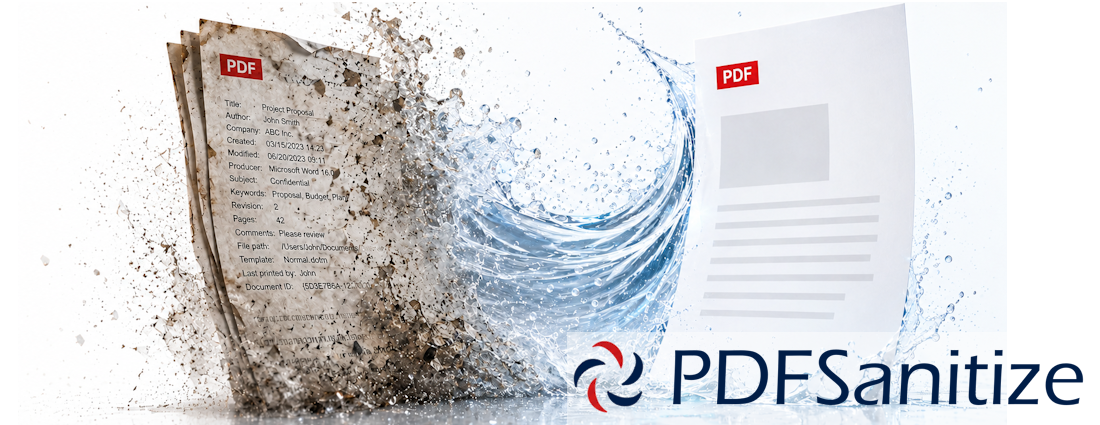
PDFSanitize analyzes, sanitizes and verifies PDFs locally on Windows, helping reduce hidden information and unwanted interactive content before documents are shared.
- Local, offline PDF sanitization
- Metadata and document identifier removal
- Hidden and off-page text detection and removal
- Annotation, form and embedded-file cleanup
- Hyperlink and document-action removal
- Bookmark and structural cleanup
- Preserve Quality and Maximum Assurance modes
- Post-sanitization verification
- SHA-256 file fingerprints
- TXT, PDF, CSV and JSON reporting
- Enterprise Certificate of Sanitization
View PDFSanitize Documentation
PDF sanitization — beyond deleting metadata
Removing visible metadata from a PDF is only part of the problem.
PDF documents can contain information and functionality that is not immediately visible when the document is opened, including document properties, XMP metadata, hidden or off-page text, comments, form data, embedded files, hyperlinks, bookmarks, scripts, actions and previous structural data.
PDFSanitize is designed to inspect these elements, remove selected content, rebuild the document where necessary, and verify the resulting PDF.
Whether you are preparing documents for external sharing, reducing unnecessary information disclosure or implementing a repeatable document-sanitization workflow, PDFSanitize provides a controlled way to sanitize PDFs locally on Windows.
How PDFSanitize works
- Add individual PDF files or entire folders
- Analyze documents to identify structural and hidden content
- Select a sanitization profile or configure individual options
- Sanitize the selected PDFs locally
- Automatically verify the resulting documents
- Review hashes, verification results and sanitization details
- Export reports or generate a Certificate of Sanitization
Key benefits
Local PDF Sanitization
Documents are processed locally on the Windows computer. Sensitive PDFs do not need to be uploaded to an online service.
Preserve Visible Document Quality
Preserve Quality mode removes selected PDF structures while retaining normal text and vector content wherever possible.
Maximum Assurance
For higher-assurance workflows, Maximum Assurance profile reconstructs every page from rendered content.
This removes dependence on the original page-level PDF objects and produces a new PDF based on the visible page appearance.
Verification and Evidence
PDFSanitize can automatically inspect the sanitized output and verify that selected structures were removed.
SHA-256 fingerprints can be calculated for the original and sanitized documents, and reports provide a record of the operation.
Flexible & Easy to Use
Use predefined sanitization profiles for common workflows or configure individual sanitization options in Pro and Enterprise editions.
Batch processing
Batch processing allows multiple PDFs to be analyzed, sanitized and reported together.
Edition Comparison
From personal use to professional and enterprise workflows, PDFSanitize scales with your security, deployment and reporting requirements.
 |  |  | |
|---|---|---|---|
| Feature | Standard | Pro | Enterprise |
| Sanitize PDFs completely offline | ✔ | ✔ | ✔ |
| Add individual PDFs | ✔ | ✔ | ✔ |
| Add folders | ✔ | ✔ | ✔ |
| Batch processing | ✔ | ✔ | ✔ |
| PDF analysis | ✔ | ✔ | ✔ |
| Full document Overview | ✔ | ✔ | ✔ |
| Structural-content detection | ✔ | ✔ | ✔ |
| Metadata Only profile | ✔ | ✔ | ✔ |
| External Sharing profile | ✔ | ✔ | ✔ |
| Preserve Quality mode | ✔ | ✔ | ✔ |
| Remove document metadata | ✔ | ✔ | ✔ |
| Remove XMP metadata | ✔ | ✔ | ✔ |
| Remove document identifiers | ✔ | ✔ | ✔ |
| Remove previous / incremental revisions | ✔ | ✔ | ✔ |
| Post-sanitization verification | ✔ | ✔ | ✔ |
| SHA-256 fingerprints | ✔ | ✔ | ✔ |
| TXT report | ✔ | ✔ | ✔ |
| Strict Privacy profile | — | ✔ | ✔ |
| Maximum Assurance profile | — | ✔ | ✔ |
| Custom sanitization options | — | ✔ | ✔ |
| Remove comments and annotations | — | ✔ | ✔ |
| Remove interactive forms / form values | — | ✔ | ✔ |
| Remove embedded files | — | ✔ | ✔ |
| Remove JavaScript and document actions | — | ✔ | ✔ |
| Remove hidden / optional layers | — | ✔ | ✔ |
| Remove hyperlink annotations / actions | ✔ | ✔ | |
| Remove bookmarks | — | ✔ | ✔ |
| Remove hidden / off-page text | — | ✔ | ✔ |
| PDF report | — | ✔ | ✔ |
| CSV report | — | ✔ | ✔ |
| JSON report | — | ✔ | ✔ |
| Certificate of Sanitization | — | — | ✔ |
| Windows Server support | — | — | ✔ |
| Licensed for virtual-machine environments | — | — | ✔ |
| For personal use | For business use | For enterprise environments | |
| Free | Perpetual license 12 months of updates No subscription required | €129 Perpetual license 12 months of updates No subscription required | |
| Download | Buy | Buy |
Pro and Enterprise licenses are perpetual and licensed per device. Each purchase includes access to software versions released during the 12 months following purchase. Eligible versions remain licensed for continued use after the update period ends. Access to versions released later requires renewal of the update entitlement.
PDF Inspection & Analysis
PDFSanitize analyzes selected documents before sanitization and presents document-level information in an easy-to-review Overview.
Detection can include:
- Document properties and metadata
- XMP metadata
- Document identifiers
- Previous revisions
- Comments and annotations
- Interactive forms
- Embedded files
- JavaScript and document actions
- Optional-content structures
- Hyperlink annotations and external navigation actions
- Bookmarks
- Hidden or off-page text
- Other relevant PDF structural information
Sanitization Profiles
Choose between four predefined profiles for common workflows.
Metadata Only
Remove document metadata and related identifying information while making minimal changes to the PDF.
External Sharing
A balanced profile for preparing documents before they are shared outside the organization.
Strict Privacy
Apply a more extensive sanitization policy for documents where residual or interactive content should be minimized.
Maximum Assurance
Reconstruct every page from rendered content to create a new PDF without retaining the original page-level text, vector objects, forms, hyperlinks or similar interactive structures.
Sanitization Modes
Choose between two sanitization modes.
Preserve Quality
The Preserve Quality mode is designed to retain normal PDF text and vector content whenever the selected sanitization operations allow it.
Structural elements are removed without rasterizing the entire document.
If hidden or off-page text must be removed from a particular page, PDFSanitize can reconstruct only the affected page while leaving unaffected pages in their normal PDF form.
This provides a practical balance between sanitization and document fidelity.
Maximum Assurance
The Maximum Assurance mode uses a different approach.
Instead of preserving the original page-level PDF objects, each page is rendered and reconstructed into a new PDF.
This is designed for workflows where reducing reliance on the original PDF structure is more important than retaining selectable source text, vector graphics, forms or hyperlinks.
Maximum Assurance is available in PDFSanitize Pro and Enterprise.
Metadata & Structural Cleanup
Depending on the selected edition and policy, PDFSanitize can remove:
- Document information metadata
- XMP metadata
- Document identifiers
- Previous and incremental revisions
- Comments and annotations
- Interactive forms and form data
- Embedded files and file attachments
- JavaScript
- Document actions
- Hyperlink annotations and external navigation actions
- Bookmarks
- Selected optional-content structures
Hidden & Off-Page Text Removal
PDFs can contain text that is technically present in the document but is not normally visible to the reader.
PDFSanitize can detect text that uses invisible rendering modes or is positioned completely outside the visible page.
Verification
Sanitization should not end when the output file is written.
PDFSanitize can automatically inspect the sanitized document and verify the selected sanitization requirements.
Verification can confirm conditions such as:
- Document metadata removed
- XMP metadata removed
- Document identifiers removed
- Previous revisions removed
- Annotations removed
- Interactive forms removed
- Embedded files removed
- JavaScript removed
- Document actions removed
- Hyperlink annotations and external navigation actions removed
- Bookmarks removed
- Document structure remains readable
- Page count remains consistent where applicable
SHA-256 Fingerprinting
PDFSanitize can calculate SHA-256 fingerprints for both the original PDF and sanitized output.
These fingerprints help identify the exact files associated with a sanitization and verification operation and can also be included in reports and certificates.
Reporting & Evidence
TXT Report
Available in all editions for straightforward, portable operation records.
Professional Reports
PDFSanitize Pro and Enterprise can export structured reports in:
- CSV
- JSON
Reports include document analysis, sanitization configuration, timestamps, file fingerprints and verification results for all sanitized PDFs.
Certificate of Sanitization
PDFSanitize Enterprise can generate a formal Certificate of Sanitization covering a batch of sanitized and verified documents.
The certificate can include:
- Unique Document ID
- Report date and software version
- Operator information
- System and environment information
- Sanitization profile and mode
- Overall sanitization result
- Begin and end timestamps
- Total duration
- Number of documents
- SHA-256 fingerprints
- Verification results
- Individual per-file sanitization information
- Page-numbered certificate footer
Local Processing
PDFSanitize is designed around local document processing.
The PDF content itself does not need to be sent to a web-based PDF converter or sanitization service.
This can be particularly valuable when working with:
- Confidential business documents
- Legal material
- Customer information
- Internal reports
- Investigation material
- Sensitive government or organizational documents
- Documents subject to internal information-handling policies
Batch PDF Sanitization
PDFSanitize is not limited to one document at a time.
Add multiple PDFs or entire folder structures, select the documents to process, and perform analysis, sanitization, verification and reporting across the batch.
This helps make repetitive PDF-cleanup workflows more consistent and manageable.
Use cases
PDFSanitize is suitable for:
- Businesses preparing PDFs for external distribution
- Legal professionals sharing documents with clients or third parties
- IT and security teams implementing document-handling policies
- Compliance and audit teams requiring documented sanitization results
- Consultants handling sensitive customer documents
- Investigators preparing documents for controlled disclosure
- Government and public-sector personnel handling sensitive PDFs
- Organizations reducing metadata and hidden-content exposure
- Users who want to inspect a PDF before sharing it
- Teams requiring repeatable PDF sanitization and verification workflows
High-assurance document reconstruction
For particularly sensitive workflows, Maximum Assurance reconstructs all document pages from rendered content.
This provides a clear separation from the original page-level PDF objects and is intended for cases where structural minimization is more important than maintaining editable or selectable source content.
Ready to sanitize your PDFs?
Inspect hidden document content. Remove unnecessary structures. Verify the result.
Process PDFs locally with Probativa PDFSanitize.